
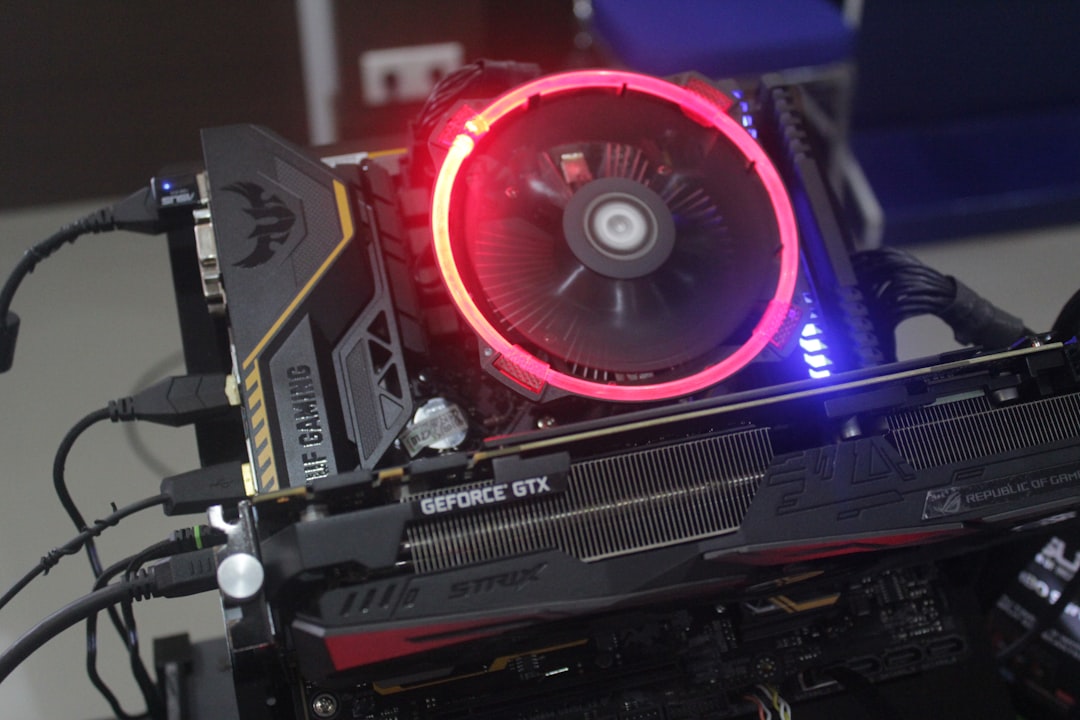
Problem – Frequent Pod Evictions on AMD GPU Nodes During Disaster Recovery
During disaster‑recovery (DR) drills the AI training platform experiences a surge of concurrent training jobs. On clusters that use AMD MI250X GPUs the kubelet repeatedly evicts pods with the reason=OutOfmemory condition. Typical symptoms observed:
- Pods transition to
Evictedstatus within minutes of the DR start. kubectl describe pod <pod>shows:
Events:
  Type     Reason            Age   From               Message
  ----     ------            ----  ----               -------
  Warning  OutOfmemory       2m    kubelet, node-01   Container killed due to OOM
  Warning  Evicted           2m    kubelet, node-01   Pod was evicted because of node memory pressure
- Node logs contain entries such as:
Mar 12 10:15:23 node-01 kernel: amdgpu: out of memory while allocating resources for container
Mar 12 10:15:24 node-01 kubelet[12345]: Failed to allocate GPU memory: insufficient memory
The eviction is not caused by CPU or regular RAM pressure; the node reports node_memory_pressure=False but node_allocatable for amd.com/gpu drops sharply.
Root Cause – GPU Memory Fragmentation and Over‑commit in the AMD Device Plugin
The AMD GPU Operator (see the official guide) registers each GPU as a amd.com/gpu resource. The device plugin tracks allocatable VRAM per GPU based on the driver’s amdgpu memory pool. During a DR event the following conditions align:
- Concurrent high‑memory training jobs request large
limits(e.g.,memory: 120Gi) on the same GPU. The plugin only enforces a coarseallocatablevalue (total VRAM minus a safety margin) and does not account for fragmentation. - Kernel OOM is triggered when the driver cannot satisfy a new allocation request, producing the log “
amdgpu: out of memory while allocating resources for container” (see the ROCm installation guide for memory management details). - Kubelet interprets the driver‑level OOM as node‑level memory pressure and initiates pod eviction according to the Kubernetes eviction policy. The eviction reason is reported as
OutOfmemory, even though system RAM is healthy. - In DR scenarios the cluster may temporarily disable
gpuMemoryLimitenforcement to maximise throughput, inadvertently allowing over‑commit of VRAM.
Community reports (GitHub issue #112, Kubernetes issue #104567) confirm that the AMD device plugin does not currently perform per‑allocation fragmentation checks, leading to the observed mass evictions.
Debug – Step‑by‑Step Investigation
1. Verify Node Resource State
kubectl get node node-01 -o jsonpath='{.status.allocatable}'
Expected output (simplified):
{
  "cpu": "96",
  "memory": "384Gi",
  "amd.com/gpu": "8",
  "amd.com/gpu-memory": "640Gi"
}
If the amd.com/gpu-memory value is far lower than the physical VRAM (e.g., 320Gi on a node with 8×MI250X each 64Gi), fragmentation is likely.
2. Inspect Device Plugin Logs
kubectl logs -n kube-system $(kubectl get pod -n kube-system -l app=amdgpu-device-plugin -o name) -c device-plugin
Look for lines such as:
2024-03-12T10:15:24Z WARN Failed to allocate GPU memory: insufficient memory
2024-03-12T10:15:24Z INFO Allocated 12Gi on GPU-0, remaining 2Gi
3. Correlate Pod Requests with GPU Memory
Example pod spec used in the DR test:
apiVersion: v1
kind: Pod
metadata:
  name: training-job
spec:
  containers:
  - name: trainer
    image: myregistry/torch:latest
    resources:
      limits:
        amd.com/gpu: "1"
        amd.com/gpu-memory: "120Gi"
        memory: "64Gi"
      requests:
        amd.com/gpu: "1"
        amd.com/gpu-memory: "120Gi"
        memory: "64Gi"
Check the total requested GPU memory across all pods on the node:
kubectl get pods --field-selector spec.nodeName=node-01 -o json | \
jq '[.items[].spec.containers[].resources.limits["amd.com/gpu-memory"] // "0Gi"] |
map(gsub("Gi";"") | tonumber) | add'
If the sum exceeds the physical VRAM, you have an over‑commit scenario.
4. Examine Kernel OOM Messages
journalctl -k -u amdgpu -b | grep -i "out of memory"
Typical output:
Mar 12 10:15:23 node-01 kernel: amdgpu: out of memory while allocating resources for container
5. Confirm Kubelet Eviction Thresholds
kubectl get configmap kubelet-config -n kube-system -o yaml
Check for entries like:
evictionHard:
  memory.available: "100Mi"
  nodefs.available: "10%"
  imagefs.available: "15%"
  # No explicit gpu-memory threshold – kubelet falls back to generic memory pressure
Solution – Align GPU Memory Accounting and Enforce Strict Limits
1. Enable Per‑GPU Memory Accounting in the AMD Device Plugin
Update the device plugin ConfigMap to set memoryAllocationPolicy: Strict (new in v0.7.0 of the plugin).
apiVersion: v1
kind: ConfigMap
metadata:
  name: amdgpu-device-plugin-config
  namespace: kube-system
data:
  config.json: |
    {
      "memoryAllocationPolicy": "Strict",
      "gpuMemorySafetyMarginMiB": 1024
    }
Apply and restart the plugin:
kubectl apply -f amdgpu-device-plugin-config.yaml
kubectl rollout restart daemonset amdgpu-device-plugin -n kube-system
2. Add a GPU‑Memory Eviction Threshold
Create a custom KubeletConfiguration that includes a GPU‑specific hard eviction signal (available from K8s v1.27+).
apiVersion: kubelet.config.k8s.io/v1beta1
kind: KubeletConfiguration
evictionHard:
  "amd.com/gpu-memory.available": "2Gi"
  memory.available: "100Mi"
  nodefs.available: "10%"
Apply via the node’s kubelet service (e.g., using kubeadm or the cloud provider’s node‑pool configuration).
3. Adjust Pod Resource Requests to Reflect Realistic VRAM Usage
Replace the large static amd.com/gpu-memory limit with a more granular request based on model size. For hyper‑parameter sweeps, use resourceClaims to share a pool of GPUMemory resources.
Before (over‑commit):
resources:
  limits:
    amd.com/gpu-memory: "120Gi"
After (conservative, using a claim):
apiVersion: resource.k8s.io/v1alpha2
kind: ResourceClaim
metadata:
  name: gpu-mem-claim
spec:
  resourceClassName: gpu-memory
  parametersRef:
    apiGroup: resource.k8s.io
    kind: ResourceClaimParameters
    name: medium-gpu-mem
---
apiVersion: v1
kind: Pod
metadata:
  name: training-job
spec:
  resourceClaims:
  - name: gpu-mem
    resourceClaimName: gpu-mem-claim
  containers:
  - name: trainer
    image: myregistry/torch:latest
    resources:
      limits:
        amd.com/gpu: "1"
Create the corresponding ResourceClass and ResourceClaimParameters that cap each claim at 64Gi (the per‑GPU VRAM).
4. Enable GPU Memory Metrics Export
Deploy the rocm-exporter (part of ROCm) and configure Prometheus to scrape gpu_memory_used_bytes. This provides early warning before the kernel OOM path is hit.
Why the Fix Works
* Strict allocation policy forces the plugin to reject requests that would fragment the remaining VRAM, preventing the driver from entering an OOM state.
* GPU‑memory eviction threshold gives kubelet a dedicated signal to evict the least‑critical pods before the kernel kills containers, preserving node stability.
* ResourceClaims decouple individual pod limits from the raw VRAM number, allowing the scheduler to enforce aggregate limits across many concurrent jobs.
Verify – Confirm the Issue Is Resolved
- Run a controlled DR stress test that launches 12 simultaneous training pods, each requesting
amd.com/gpu-memory: 60Gi. - Monitor the
gpu_memory_used_bytesmetric; it should stay below thegpu-memory.availablethreshold. - Check that no pod reports
EvictedorOutOfmemoryafter the test completes:
kubectl get pods -A --field-selector status.phase=Failed -o wide
Expected output: empty list.
- Inspect device plugin logs for any “insufficient memory” warnings – there should be none.
- Validate that
kubectl describe node node-01showsAllocatable amd.com/gpu-memoryequal to the physical total minus the safety margin.
Prevent – Operational Guardrails for Future DR Events
- Monitoring: Set alerts on
gpu_memory_used_bytes> 90% and on kubeletnode_memory_pressurewith a GPU‑specific label. - Capacity Planning: Use the
rocm-smitool to benchmark per‑model VRAM usage and maintain a headroom of at least 15% per GPU. - Admission Control: Deploy a
ValidatingAdmissionWebhookthat rejects pods whoseamd.com/gpu-memoryrequest exceedsgpuMemorySafetyMarginMiBof the node’s total. - DR Playbooks: Include a step to scale down non‑essential GPU workloads before initiating failover, and to pre‑allocate
ResourceClaimpools for the expected number of concurrent jobs. - Version Hygiene: Keep the AMD GPU Operator and device plugin up‑to‑date (≥ v0.7.0) to benefit from the strict allocation policy and the new eviction threshold support.
FAQ – Common Follow‑Up Questions
- Why does the eviction happen even though node RAM is not exhausted?
The AMD driver reports its own OOM condition, which kubelet translates into a genericOutOfmemoryeviction. Adding a GPU‑specific eviction threshold separates GPU pressure from system RAM pressure. - Can I rely on
amd.com/gpurequests alone withoutamd.com/gpu-memory?
Requests foramd.com/gpuonly count the number of GPU devices, not VRAM usage. Without explicit memory limits the plugin may over‑commit VRAM, leading to fragmentation‑induced OOM. - How do I determine the appropriate
gpuMemorySafetyMarginMiBvalue?
Measure the peak VRAM consumption of your heaviest model usingrocm-smi --showmemuse. Set the safety margin to at least 1 GiB (1024 MiB) per GPU, plus an additional 10% of the total VRAM to account for driver overhead. - Is there a way to pre‑emptively throttle training jobs during a DR failover?
Yes. UseHorizontalPodAutoscalerwith a custom metric based ongpu_memory_used_bytesor pause lower‑priority jobs via aPriorityClassandpreemptionPolicy: PreemptLowerPriority. - Do these fixes apply to NVIDIA GPUs as well?
The concepts are similar, but NVIDIA uses thenvidia.com/gpuresource and its own device plugin. NVIDIA’s driver already reports memory pressure to kubelet, and thegpu-memory.availableeviction signal is supported out of the box. For AMD, the strict allocation policy and explicit eviction threshold are required.
Related Topic Hub: GPU Infrastructure Troubleshooting Hub