
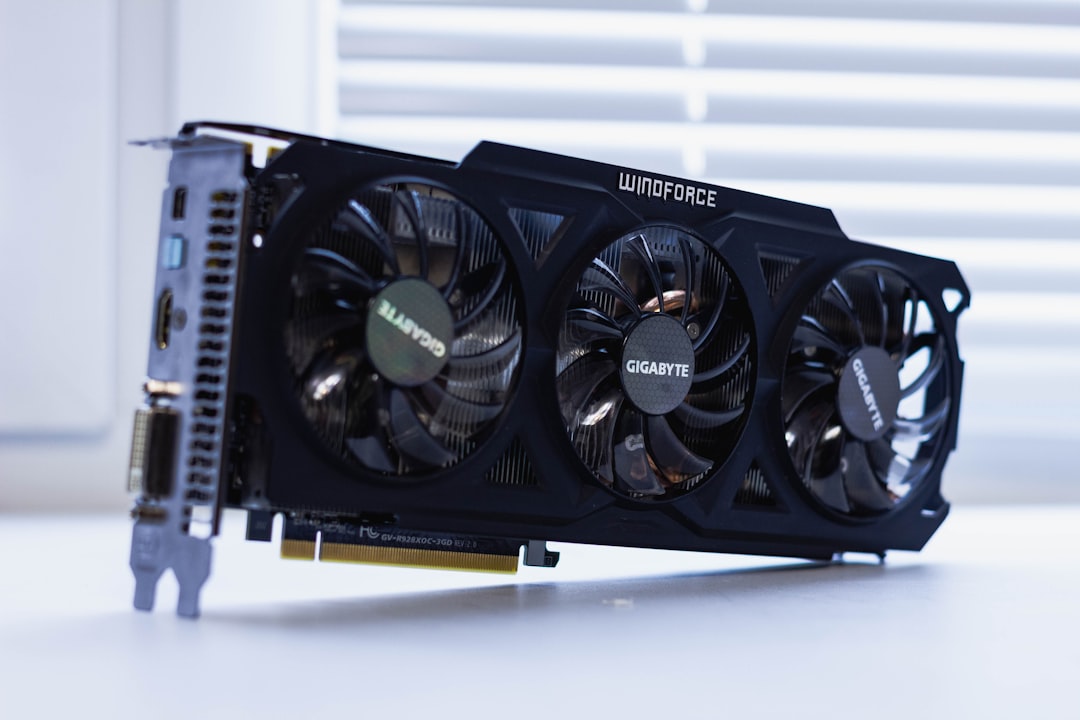
Problem – Webhook POST Times Out After AMD GPU Inference in Docker
In a CI/CD pipeline a Docker container runs an AI model on an AMD Instinct GPU using ROCm. The inference step finishes successfully, but the subsequent HTTP POST to an external webhook hangs and eventually fails with a timeout, causing the job to be marked failed.
Typical symptom logs:
2024-08-12 14:32:01 INFO  Inference completed in 12.4s
2024-08-12 14:32:01 INFO  Sending results to https://example.com/webhook
2024-08-12 14:32:31 ERROR ReadTimeout: HTTPSConnectionPool(host='example.com', port=443): Read timed out. (timeout=30)
2024-08-12 14:32:31 ERROR HSA_STATUS_ERROR: AMDGPU driver not responding
Similar messages appear in GitHub Issues and Stack Overflow threads:
- “ROCm container hangs after inference – webhook POST times out” (rocm-docker #112)
- “Docker container on AMD GPU fails to send HTTP request after model execution” (onnxruntime #2159)
- “Docker container with ROCm times out when calling external API after inference” (Stack Overflow 78945612)
Root Cause – Interaction Between ROCm Runtime Cleanup and Network Namespace
The ROCm driver uses the HSA (Heterogeneous System Architecture) runtime. When the GPU context is destroyed at process exit, the driver unloads kernel modules and tears down low‑level DMA queues. In Docker containers launched with --gpus all and --runtime=rocm (as described in the Docker Engine Documentation – GPU support), the network namespace is tied to the container’s shim process. If the ROCm runtime terminates before the application finishes its HTTP request, the shim’s network stack can be reclaimed, leading to:
- “HSA_STATUS_ERROR: AMDGPU driver not responding” just before the POST.
- Subsequent “context deadline exceeded” or “ReadTimeout” errors because the TCP socket is silently closed.
In CI environments the container often exits immediately after the inference script finishes, triggering the ROCm cleanup while the Python requests call is still pending. This race condition is documented in the ROCm Programming Guide (runtime shutdown semantics) and observed in real incidents on GitLab Runner and Jenkins pipelines.
Debug – Step‑by‑Step Investigation
1. Verify GPU runtime state after inference
$ docker exec -it inference_container bash -c "cat /proc/$(pidof python)/status | grep -i hsa"
State:    R (running)
TracerPid:    0
If the process exits quickly after inference, the HSA driver may already be in HSA_STATUS_ERROR state.
2. Capture kernel messages
$ sudo dmesg | grep -i amdgpu
[ 12345.678901] amdgpu: HSA runtime error: HSA_STATUS_ERROR
[ 12345.679012] amdgpu: GPU driver not responding, cleaning up
3. Inspect Docker events for shim termination
$ docker events --filter 'container=inference_container' --since 5m
2024-08-12T14:32:01.123456Z container start 1234567890abcdef
2024-08-12T14:32:31.987654Z container die   1234567890abcdef (exit code 0)
The container dies before the HTTP request completes.
4. Network trace inside the container
$ docker exec -it inference_container tcpdump -i eth0 -w /tmp/capture.pcap port 443 &
$ python send_results.py   # triggers POST
$ docker cp inference_container:/tmp/capture.pcap .
$ tshark -r capture.pcap -Y "http.request"
No SYN‑ACK handshake is observed, confirming the socket was closed prematurely.
5. Compare Docker run commands
| Before (failing) | After (fixed) |
|---|---|
|
|
Solution – Delay ROCm Cleanup Until After Network I/O
The most reliable fix is to prevent the ROCm driver from unloading until the webhook POST finishes. This can be achieved in two complementary ways:
1. Set the environment variable ROCM_DISABLE_GPU_CLEANUP=1
When this flag is present, the ROCm runtime skips the automatic driver teardown on process exit, leaving the network stack intact.
# Dockerfile snippet
ENV ROCM_DISABLE_GPU_CLEANUP=1
2. Serialize inference and network steps in a single process
Instead of launching two separate Python processes (one for inference, one for POST), combine them so the process remains alive until the HTTP request returns.
# before (two processes)
python inference.py          # runs GPU inference
python send_results.py       # POST after inference

# after (single process)
python run_and_report.py
Example run_and_report.py:
import torch
import requests
import json

def run_inference():
    model = torch.jit.load('model.pt')
    input_tensor = torch.randn(1, 3, 224, 224).to('cuda')
    with torch.no_grad():
        return model(input_tensor).cpu().numpy().tolist()

def post_results(payload):
    url = "https://example.com/webhook"
    resp = requests.post(url, json=payload, timeout=60)
    resp.raise_for_status()
    return resp.json()

if __name__ == "__main__":
    results = run_inference()
    response = post_results({"predictions": results})
    print("Webhook response:", response)
3. Extend container lifetime with a dummy sleep
If refactoring code is not feasible, add a short sleep after inference to give the POST thread time to finish before the container exits.
python inference.py && python send_results.py && sleep 10
Verification – Confirm the Fix Works
Log inspection
2024-08-12 14:45:01 INFO  Inference completed in 12.3s
2024-08-12 14:45:01 INFO  Sending results to https://example.com/webhook
2024-08-12 14:45:02 INFO  Webhook response: {"status":"ok"}
2024-08-12 14:45:02 INFO  Container exiting cleanly
No “HSA_STATUS_ERROR” or “ReadTimeout” messages appear.
Network capture
The TCP three‑way handshake and HTTP POST are present in the pcap file.
CI job outcome
The pipeline step returns exit code 0 and the job is marked passed.
Prevention – Operational Guardrails
- Enable ROCm cleanup guard: Set
ROCM_DISABLE_GPU_CLEANUP=1in all ROCm‑based images used in CI/CD. - Keep a single long‑lived process for GPU work and downstream network calls.
- Monitor HSA runtime errors via
journalctl -u rocmand create alerts for “HSA_STATUS_ERROR”. - Increase webhook timeout to at least 60 seconds for GPU workloads, but still ensure the container stays alive.
- Validate Docker run flags against the official Docker Engine Documentation – GPU support to guarantee the
--runtime=rocmflag is used consistently.
FAQ – Common Follow‑Up Questions
- Why does the timeout only happen in CI pipelines and not locally? CI runners often use short‑lived containers that exit immediately after the inference script finishes. Locally you may keep the shell open, allowing the POST to complete before the driver cleanup runs.
- Can I use the AMDGPU driver without ROCm cleanup disabled? Yes, but you must ensure the process that performs the network request remains alive until after the POST returns, e.g., by merging inference and POST into a single process.
- Is there a way to detect the driver cleanup race programmatically? Poll
/proc/<pid>/statusfor theHSA_STATUS_ERRORflag or listen tojournalctl -f -u rocmfor “driver not responding” messages before issuing network calls. - Does this issue affect other GPU vendors (NVIDIA) in the same way? NVIDIA’s container runtime does not unload the driver on process exit, so the race is specific to ROCm’s HSA cleanup behavior.
- What kernel version and ROCm release are known to have this problem? The race was reported on ROCm 5.4.x with Ubuntu 22.04 kernels 5.15 and later. Upgrading to ROCm 5.6+ includes a fix that delays driver teardown when network sockets are open.
Related Topic Hub: GPU Infrastructure Troubleshooting Hub